


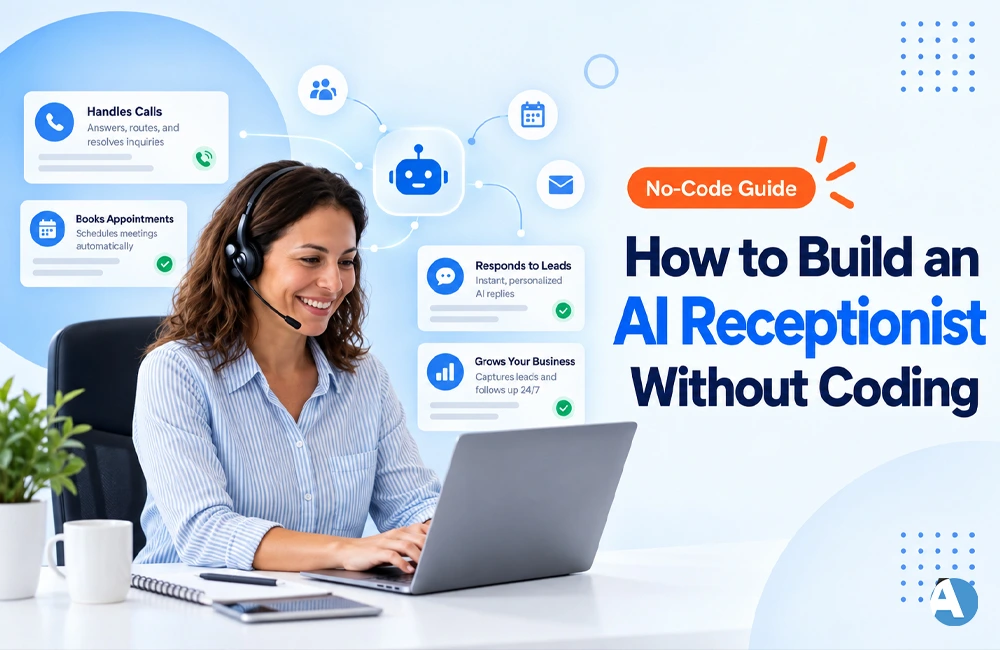
Artificial Intelligence receptionists have transformed the way businesses accept incoming calls. They are able to provide customer queries, receive information, book appointments, and pass the calls to human counterparts. The best part is that you do not require programming skills to get started with AI Receptionists.
In case you are wondering how to create an AI receptionist without coding it, it is very easy with the help of the no-code AI voice platforms. You can set up an AI receptionist just by configuring its instructions, finding out your company’s details, setting up the answering machine, and connecting the business number.
What Is an AI Receptionist?
A virtual assistant operating as a receptionist is an AI tool that responds to phone inquiries through human words.
Depending on its configurations, it can:
- Provide answers to standard inquiries
- Acquire messages
- Make appointments
- Gather customer details
- Eligible prospects
- Channel phone calls to an employee
- Provide information about office timing and services
AI receptionists have the prospects of enabling clients to speak normally without inputting several numbers like those available in the conventional phone systems.
How to Build an AI Receptionist Without Coding
1. Define Your AI Receptionist’s Role
Begin by determining the specific tasks your AI receptionist will perform.
For instance, one could set it up for a salon to respond to queries regarding services, confirm time slots, or schedule a booking. A real estate firm could task the AI receptionist with gathering customer specifications and sending viable leads.
Limit the workflow at the beginning. It is always possible to introduce new functionalities later.
2. Choose a No-Code AI Voice Platform
The next stage is choosing a platform that allows you to create AI voice agents without the need of coding.
Look for the next features:
- Visual call-flow designer
- Natural AI voices
- Phone number integration
- Calendar integration
- Call transfer
- CRM integration
- Analytics & call history
Platforms like Synthflow provide you with no-code tools to create and configure AI voice agents.
3. Add Your Business Information
Your AI receptionist must be well-equipped with details about your business.
The following details are needed:
- Name of business
- Hours of operation
- Services
- Location
- Pricing in case of any charges
- Commonly asked questions
- Appointment rules and regulations
- Contact Information
Therefore, the AI can quickly give the necessary elucidations to the callers.
It is important to verify and correct this information periodically in case of changes in corporate regulations or services offered.
4. Create Your AI Instructions
Now tell the AI how it communicates with its customers.
For instance:
“You act as a virtual assistant of Company ABC. When answering calls, ensure to dedicate your opening lines to expressing your courtesy through a greeting, as well as asking the purpose behind the call before addressing their inquiries and aiding appointments. If you are unable to provide an answer to their question, the best solution would be to direct them to someone who can provide them with answers.
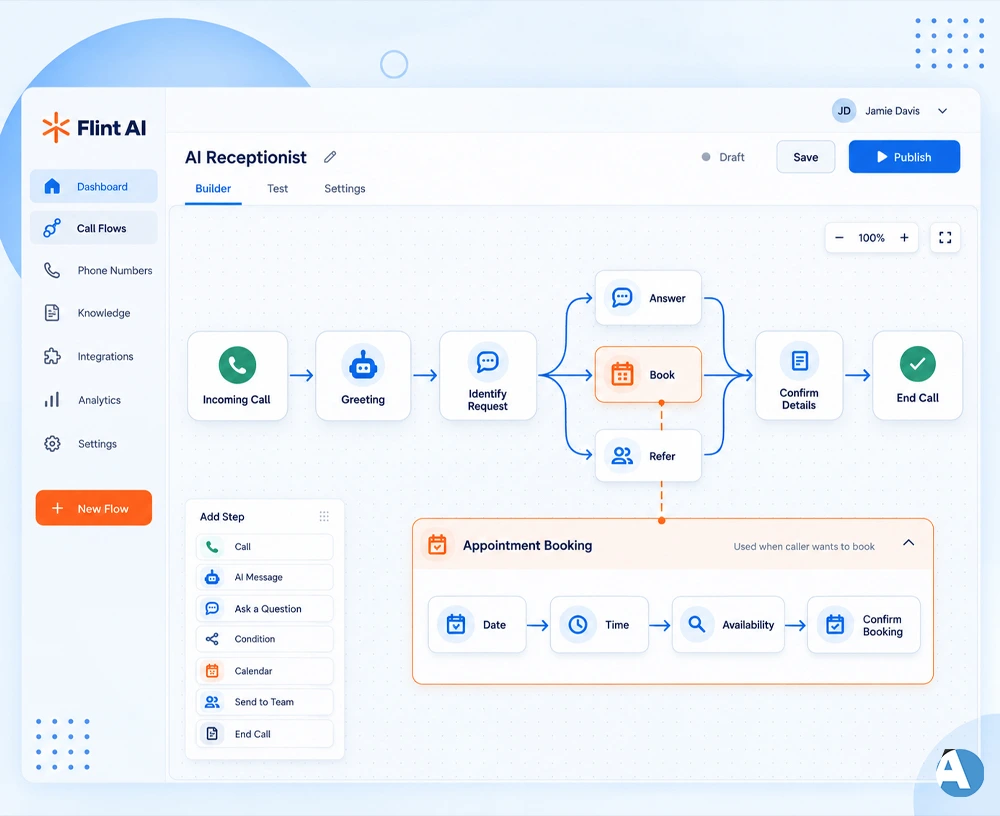
5. Build the Call Flow
A basic call flow may include the following steps:
Incoming Call → Greeting → Identify Request → Answer / Book / Refer → Confirm Details → End Call
Based on the needs of the caller, different procedures can be taken.
For instance, if someone is trying to make an appointment, then the AI should request a date and time of the appointment and also check whether that time slot is available or not before finalizing the appointment.
6. Connect Your Calendar and Phone
If you want your AI receptionist to take appointment bookings, you should connect your scheduling system/account with it.
That way, the AI will work based on actual availability and not only the selected time most preferred.
You may also connect a business phone number so that customers will call the AI reception or forward their calls there.
Businesses in the healthcare sector may also consider using ‘healthcare scheduling software’ when planning their automated appointment systems.
7. Add Human Handoff
It’s not recommended for an AI receptionist to perform every task by itself.
You should create certain guidelines concerning when to transfer phone calls to a human being and when an AI can take care of an issue on its own.
The following points can be considered:
- If a client is asking for an employee to take his or her call
- If the AI knows nothing about an issue the customer has
- If the issue at hand is complicated or serious
- If a caller sounds dissatisfied
- If an immediate help from a human being is required
8. Test Before Launching
You should conduct tests on the AI system prior to its introduction into your actual phone system.
Submit a variety of basic inquiries as well as some that are not typical in order to analyze its reaction.
Make sure that the system:
- Recognizes the callers without making any mistakes
- Gives the right answers to the questions asked
- Identifies the type of call and takes appropriate action
- Books the required appointments
- Directs calls when required
Find solutions to any issues identified before the AI system goes into live operation.
Benefits of a No-Code AI Receptionist
No-code AI receptionists will assist organizations in the following ways:
Reduce missed calls: The answer will always be given, not reaching voicemail.
Be available 24-7: AI will answer frequently asked questions even after the end of the working day.
Free up the worker’s time: Employees no longer need to give answers to basic questions time and time again.
Make appointments automatically: Customers can book appointments without implicating staff.
Manage a bigger volume of calls: The use of AI for routine calls makes it possible for workers to engage in more valuable tasks.
Conclusion
With no-code voice AI technology at hand, building an AI receptionist has become simple and straightforward. You can simply specify the required duties of your AI receptionist, give all the required business details, set up the call flows, connect the phone hardware and calendar, and test the system prior to launching it.
We recommend starting small e.g. answering frequently asked questions and taking messages. After ensuring that your AI receptionist is functioning correctly and effectively, go ahead and incorporate many important functions, such as appointment scheduling and lead scoring.
Frequently Asked Questions
The response is positive. No-code solutions for voice AI allow users to build an AI secretary using visual builders, prompts, integrations, and already prepared workflows.
Yes. Based on an integration with the corresponding calendar or scheduling system, AI receptionists assist people with making, changing, or cancelling their appointment.
Yes. One can set the AI to transfer callers to a human operator when required, or when the conversation dictates that someone should take over.
