


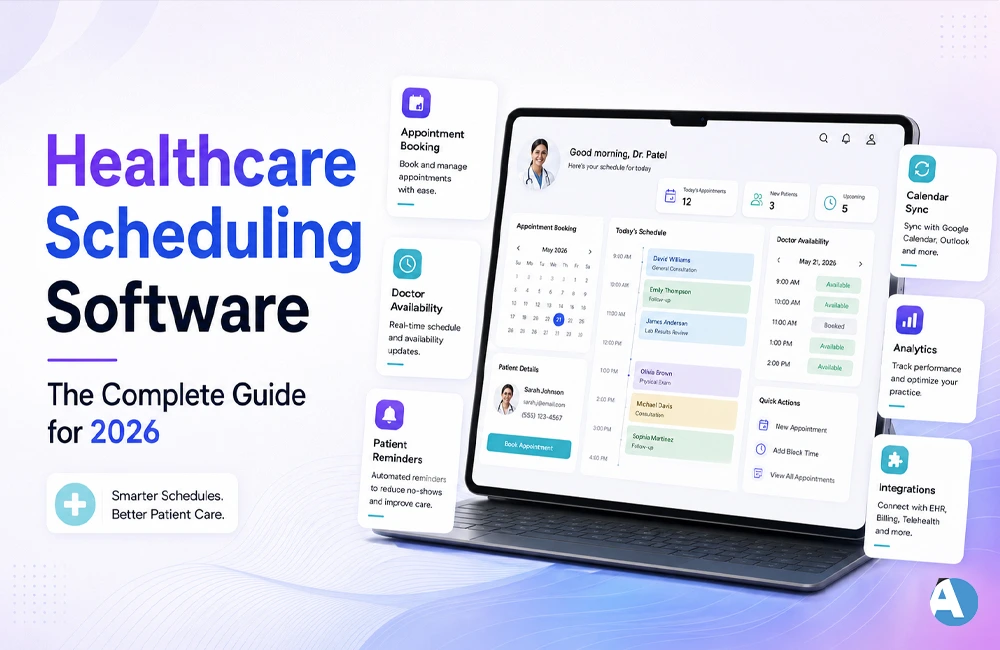
There are a lot of things that a clinic hates about running a clinic, like no-shows, over-booking appointments and overworked receptionists. The good news is that this is solvable with an effective healthcare scheduler, which enables you to make online appointments, send out emails or text message reminders of appointments and update providers’ calendars. In this article, you will learn what functionality of the healthcare scheduling software is, what features are really important, what the best solutions in the market are like and how to get the right one.
Healthcare Scheduling Software – What Is It?
Healthcare scheduling software helps healthcare organizations like hospitals, clinics, and other healthcare practices easily schedule their patients’ appointments. Instead of wasting time on phone calls and paper calendars, now healthcare employees as well as their patients can make, cancel, or modify their appointment with the help of online programs or mobile applications.
Apart from facilitating basic scheduling, most modern healthcare scheduling software offers features such as automated notifications, management of doctors’ schedules, verification of medical insurance, and connection to electronic health records system (EHR). This enables scheduling to become a part of the automated process rather than tedious manual work that takes a lot of time.
For those who are interested in artificial intelligence tools more generally, there is the section of AI Tools which offers insights on other software that utilize automation in a manner similar to modern scheduling solutions.
Why Every Healthcare Practice Needs Scheduling Software
No-shows alone cost U.S. healthcare practices an estimated $150 billion a year, with each missed appointment wasting an hour of staff time. The fact that one statistic prompted the common use of scheduling software in practices of all sizes. Here are advantages of quality software:
- Reduced number of missed appointments: Email and text message reminders help the patients remember their appointment time.
- Reduced number of phone calls made by the patients: The office receives fewer phone calls when patients schedule appointments online as they do not need to call the office for making appointments.
- Less chance of double booking: Online calendars are updated automatically and prevent any conflicts.
- Better data security: Software effective thanks to meeting HIPAA requirements protects sensitive patient information.
- Smoother billing: The best tech solutions enable collecting co-payments and checking insurance eligibility during the appointment scheduling process.
Key Features to Look For in Healthcare Scheduling Software
The style of the platforms differs, and the functionality of the platform will rely on the size and type of your clinic. Below are some of the most important features that you should keep in mind while backpacking for different platforms.
- Self-scheduling: Patients are able to make appointments online and by phone.
- Shared doctor’s calendar: Calendar containing all doctors and their appointments.
- Automated appointment reminders: Appointments can be confirmed and remembered via SMS, email or voice message.
- Integration of EHR or EMR: The data collected from your current software is transferred automatically.
- Compliance with HIPAA regulations: Patient data is stored as encrypted and assured communication with the patient.
- Analysis and reporting: You will gain knowledge about booking trends, cancellations, and staff use.
- Billing and paying tool: Check in for collecting co-pay and co-pay eligibility.
Comparison of Premier Medical Appointment Scheduler Software (2026)
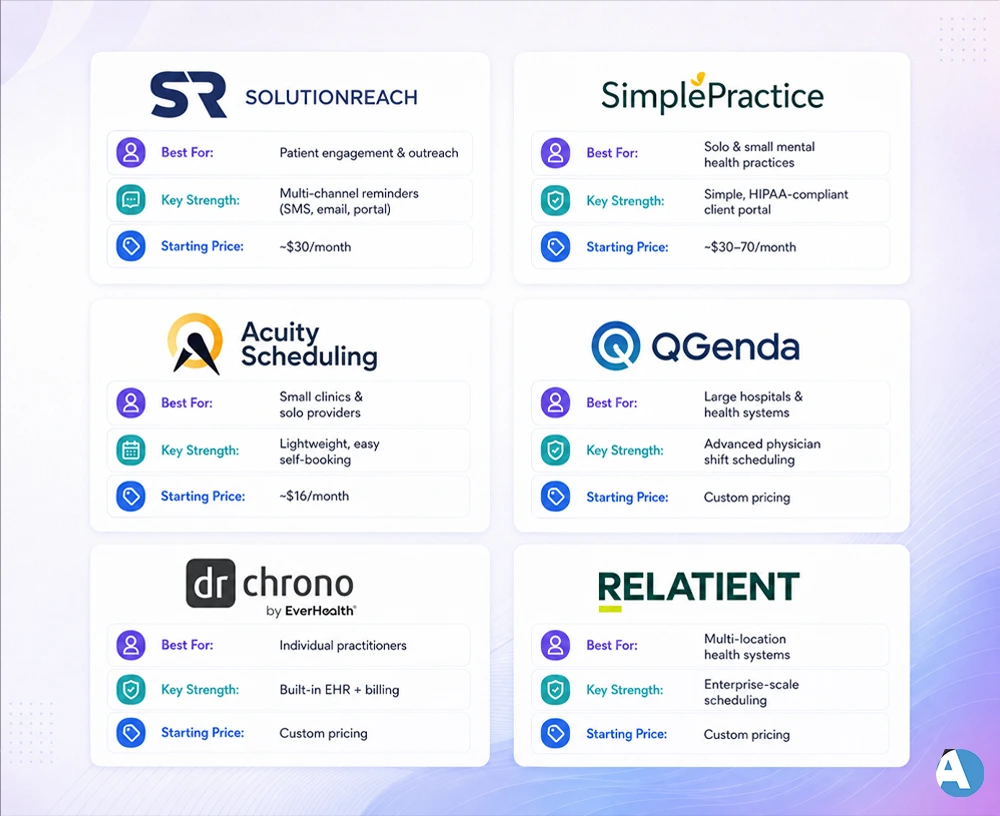
The following is a summary of the best healthcare scheduling software of the year based on their main purpose and best-suited application.
| Software | Best For | Key Strength | Starting Price |
| Solutionreach | Patient engagement & outreach | Multi-channel reminders (SMS, email, portal) | ~$30/month |
| SimplePractice | Solo & small mental health practices | Simple, HIPAA-compliant client portal | ~$30–70/month |
| Acuity Scheduling | Small clinics & solo providers | Lightweight, easy self-booking | ~$16/month |
| QGenda | Large hospitals & health systems | Advanced physician shift scheduling | Custom pricing |
| DrChrono | Individual practitioners | Built-in EHR + billing | Custom pricing |
| Relatient Dash | Multi-location health systems | Enterprise-scale scheduling | Custom pricing |
Cost varies depending on the plan, number of doctors in the practice, and additional services, so always check the price with the company.
If you would like to find out more about the different features available, check Keragon’s software guide for patient scheduling and SchedulingKit’s document with a review of different platforms.
How to Choose the Right Healthcare Scheduling Software
There isn’t a definitive answer to what is the “best” scheduler for healthcare because the answer depends on how you set up your practice. Below are the aspects to evaluate:
- Size of your practice: For a solo doctor, a simple program such as Acuity would be ideal but for a hospital, a sophisticated software application such as QGenda or Relatient would be more appropriate.
- Your current IT systems: If you are already using Epic or Cerner to run your practice, their built-in scheduler is likely to be the best choice as compared to standalone programs.
- Specific requirements of your specialty: For example, if your specialization involves mental health care, a program such as SimplePractice that has been designed specifically for this field would be effective.
- Cost: Calculate the monthly pricing in comparison to the money you would save on staff time, missed patient appointments, etc.
- Installation and support: Look for a vendor that provides chat support, training materials, and free trials before purchasing.
Studies published in the Journal of Medical Internet Research have demonstrated that automated reminders significantly reduce no-show rates by using reminders, therefore the features are paramount during requirement gathering.
Common Mistakes to Avoid When Switching Systems
- Disregarding EHR compatibility: A scheduling tool that can’t be integrated with your records system adds concerns instead of simplifying things.
- Overlooking the importance of training: The most effective software isn’t helpful at all if the team at the reception is clueless about how to use it.
- Choosing based on price alone: The most affordable plan is usually the one that lacks necessary HIPAA compliance or reporting tools.
- Not trying to book an appointment: Always go through the booking process personally before offering it to patients.
If you are also considering other AI-powered tools together with your scheduling instrument, check out our Business section for useful tutorials on how to select and implement new software.
Conclusion
The software for healthcare scheduling has undergone a technological advancement beyond the traditional digital calendar. This state-of-the-art interactive program does not only let patients book appointments but also sends reminders, uses data according to HIPAA standards, and integrates EHR records all in the same application without missing any of the appointments scheduled while at the same time saving work hours.In the first place, you need to analyze the nature of your medical practice (the size, specialization, and equipment in use) and then consider conducting a review of what options the market offers.
FAQ’s
For single medical practitioners as well as smaller clinics, lightweight alternative tools like Acuity Scheduling. Simple Practice usually provide the best solution, since such systems enable simple self-scheduling without the complicated features. The price of enterprise solutions that are designed for hospitals.
Most reputable platforms offer a HIPAA-compliant level of security. The use of encrypted data storage techniques and secure messaging channels. Nevertheless, compliance can’t be taken for granted when it comes to every vendor. So to be on the safe side, it’s better to check their compliance level before using the services.
The charges vary significantly, from about $16-30 per month for lightweight tools like Acuity or SimplePractice to more expensive custom-built enterprise services from such companies as QGenda and Relatient Dash, depending on the features and the number of providers.
